7. Connecting DockerHub to GitHub
Never hardcode your passwords or tokens inside your GitHub Actions pipeline files (.yml). They must be securely stored in GitHub Secrets!
Generating a Personal Access Token (PAT)
We need a Personal Access Token (PAT) from DockerHub along with our username to allow the pipeline to authenticate and push to the Docker repository.
-
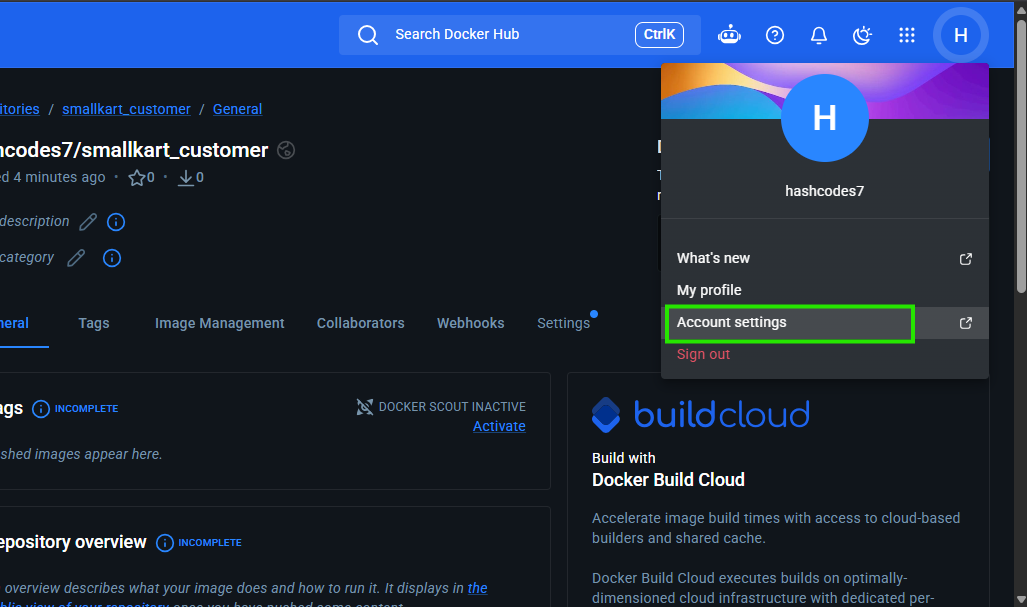
In DockerHub, go to Account Settings -> Security.
-
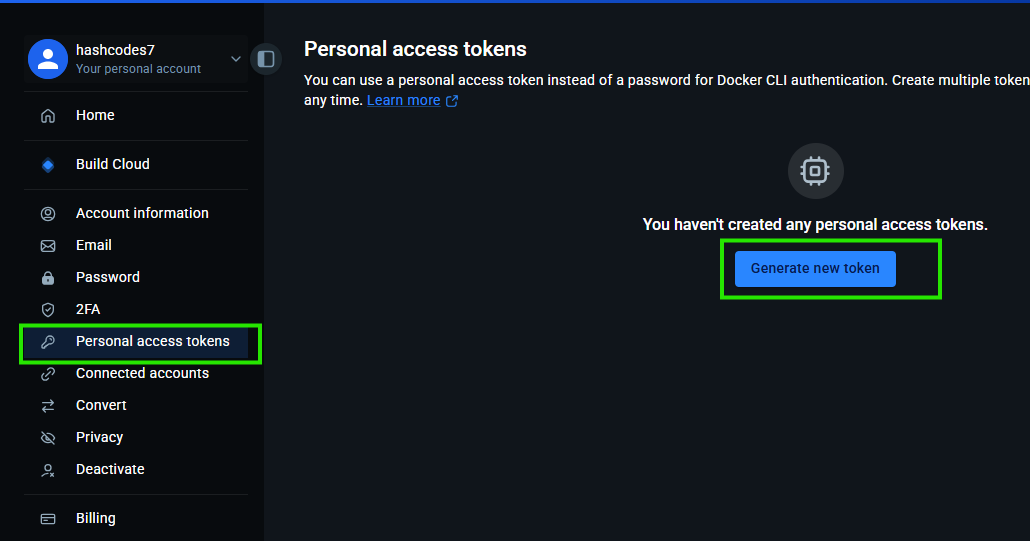
Click on New Access Token.
-
Give it a descriptive name (like
github-actions-push) and create it.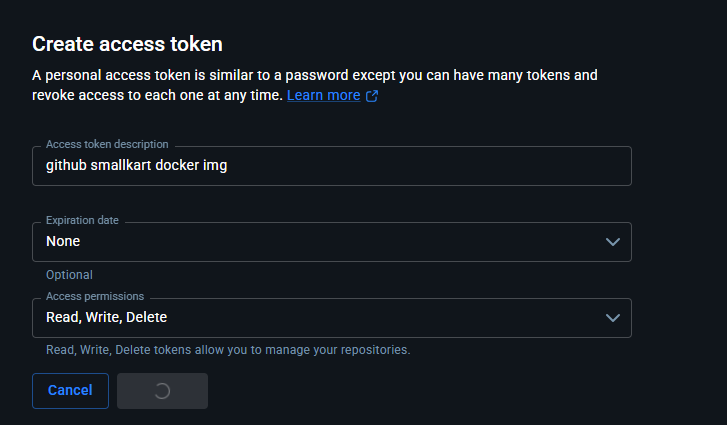
This will generate a secure Docker repository token that looks something like this:

Configuring GitHub Secrets
Now, take this token and put it in GitHub Secrets so your pipeline can securely inject it during the build process.
-
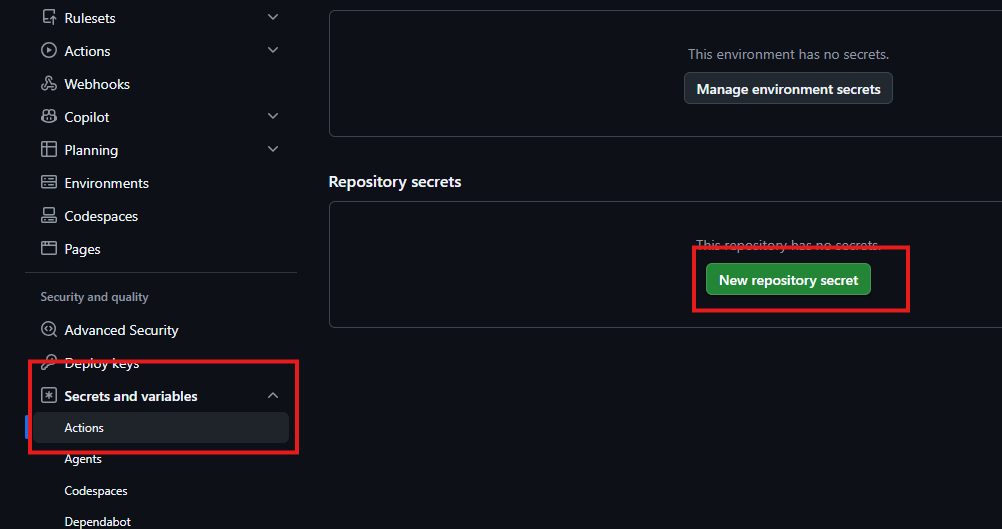
Go to your GitHub repository -> Settings -> Secrets and variables -> Actions.

-
Click on New repository secret.
-
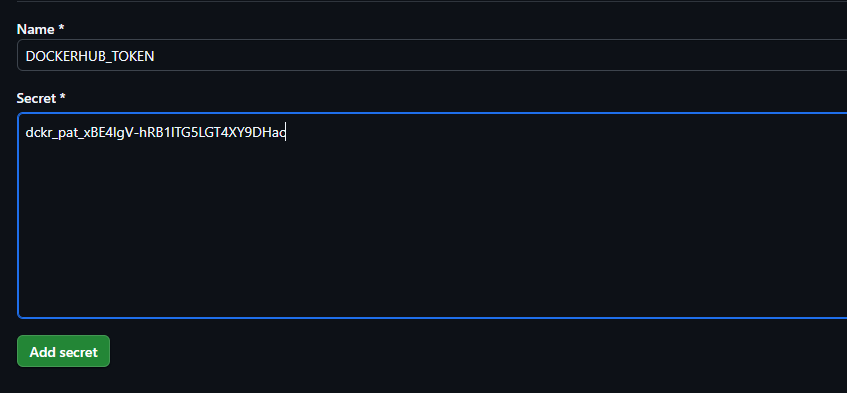
Create the following two secrets identically as shown:

Required Secrets Table
| Secret Key | Value |
|---|---|
DOCKERHUB_USERNAME | hashcodes7 (Your Username) |
DOCKERHUB_TOKEN | Your DockerHub PAT |
Next time you push code to GitHub, your CI/CD pipeline will utilize these secrets to authenticate.
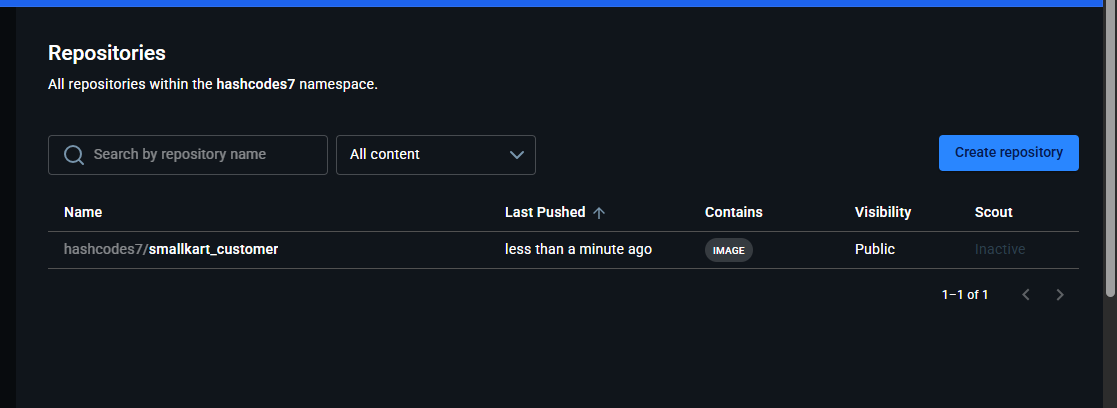
Once your CI/CD pipeline finishes processing, you will get an automatically built and pushed image appearing right in DockerHub like this!