1. Putting It On GitHub
info
We have 2 Spring projects, so we are making 2 separate repositories, one for each microservice.
Repositories
- Admin App:
https://github.com/hashcodes7/smallkart_admin.git - Customer App:
https://github.com/hashcodes7/smallkart_customer.git
Git Initialization
First, initialize a new Git repository in your local project folder:
git init
Next, connect your local repository to the remote GitHub repository:
git remote add origin https://github.com/hashcodes7/smallkart_admin.git
Verify that the remote connection was successful:
git remote -v
Expected Result:
origin  https://github.com/hashcodes7/bigkart.git (fetch)
origin  https://github.com/hashcodes7/bigkart.git (push)
Committing and Pushing
Next, simply go to the left-side Source Control panel in VS Code and perform a commit and push.
tip
If it asks to create an upstream branch, accept it!
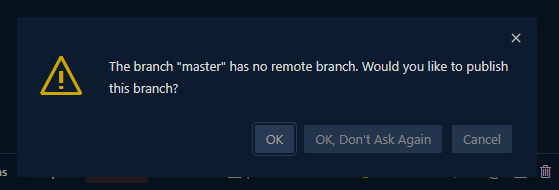
Just select OK and create a remote branch. If authentication is requested, sign in with your GitHub credentials and your code will be pushed.
Now proceed to Setting Up Codespaces.