6. Building Docker Image
info
Now that you have created a Docker account and a repository using Creating DockerHub Account & Repo, we will physically build the image.
Manual Build Workflow
flowchart LR
    A[Code] -->|mvn package| B(JAR File)
    B -->|docker build| C{Docker Image}
    C -->|docker tag| D[Local Registry]
    D -->|docker push| E[(DockerHub)]
Assuming your full repository reference is hashcodes7/smallkart_customer:latest, run the following command in your terminal to build the image:
docker build -t hashcodes7/smallkart_customer:latest .
Breakdown of the Command
-t: Tags the image with a name.hashcodes7/smallkart_customer:latest: The repository reference. This ensures DockerHub knows exactly where to push it later..: The trailing dot tells Docker to look for theDockerfilein the current directory.
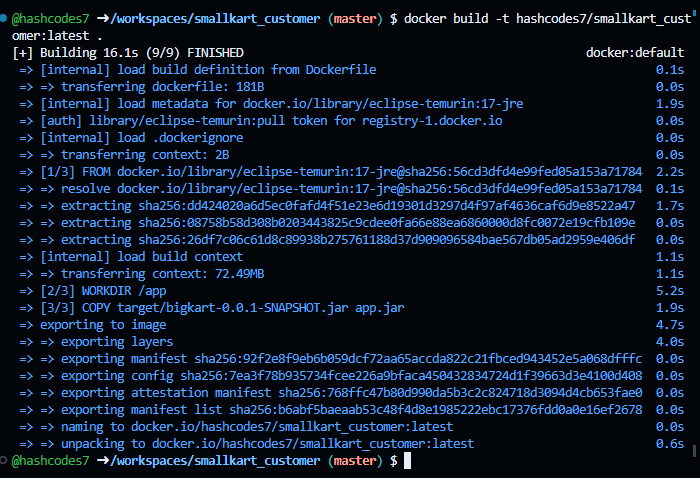
Wait for the build to finish. It will look like this:
tip
Before pushing to production, you might want to test your image locally! See Testing Docker Image Locally.
To directly move to deployment, go to Logging in to DockerHub.