Chapter 6.2 Database Setup - Creating a Database inside our Database Server
*23 steps · Created Aug 20, 2026
Go to AWS -> Search "RDS" -> on sidebar open Databases
Step 01: Go to Your Database

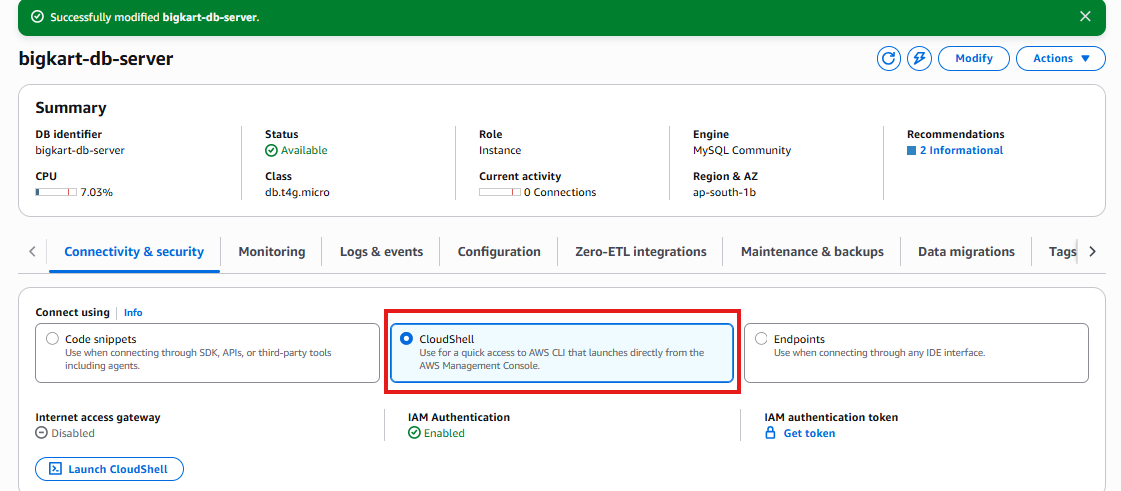
Step 02: Click cloudshell option
if its your first time it might ask a name for your shell session, doesnt matter put any name.
Step 10: Login
Type in your password here for database server you made

Step 21: Enter Database mode
CloudShell is a general CMD for any app but we now connected our RDS to it to access RDS, now we can use database commands eg
create database bigkart_admin_db;

Similarly you make other db for customers. Thats it.

now both dbs are made, now we simply have our database ready to go. we can now put its location in our any application to start using it For now we will put this database in our Spring boot app to let it connect to Database in next Chapter